Comprehensive Security with Windows Defender Offline

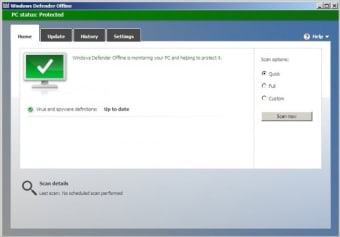
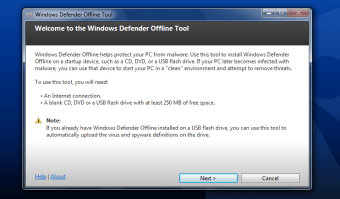
Windows Defender Offline is a free security application designed for Windows operating systems. It serves as a powerful tool for detecting and removing malware and other security threats that may compromise system integrity. By operating outside of the main Windows environment, it ensures that malicious software cannot interfere with the scanning and removal process, providing users with a reliable solution for maintaining system security.

Top Recommended Alternative

The application is particularly useful for users who suspect their system may be infected but cannot effectively remove the threats while the operating system is running. Windows Defender Offline is categorized under Security & Privacy, emphasizing its role in protecting user data and enhancing overall system safety.


 0/3

App specs

  • License

    Free

  • Version

    4.4.304.0

  • Latest update

  • Platform

    Windows

  • OS

    Windows 8

  • Language

    English

  • Downloads

    145.6K

    Last month's downloads

    • 218
  • Size

    860.18 KB

  • Developer

Program available in other languages


Icon of program: Windows Defender Offline

Windows Defender Offline

  • Free
  • 3.8
    237
  • 145.6K
  • V4.4.304.0

User reviews about Windows Defender Offline

3.8

3 reviews

Add review

Main reviews for you

  • Anonymous user

    Fantastic as a startup disk, works great.. This is a great tool for locating unwanted malware, Trojans, etc. I have used it and it works great. I use this on a startup disk so nothing else is loaded on the computer.

  • Anonymous user

    Windows Defender Offline needs some instructions.. I know the software is in Beta but information about how it works and how to run it would be nice.

  • Anonymous user

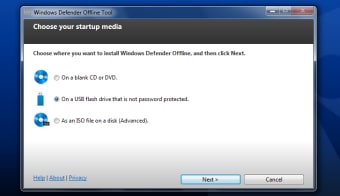
    Awesome product, worked when nothing else would. Highly recommend.. My system suggested that I download and install this program because of a virus I couldn't get rid or. The virus was a tricky bugger. Win defender was easy to download and I downloaded to a usb. Restarted the computer from the usb and it immediately went to work at fixing my computer offline. Problem solved, no more issues.. I would recommend any time. Pros: ease of use

More

You may also like

Alternatives to Windows Defender Offline

Explore Apps

Latest articles

Laws concerning the use of this software vary from country to country. We do not encourage or condone the use of this program if it is in violation of these laws.

Softonic

Is Windows Defender Offline safe?

100/100

Score result: Clean

This file passed a comprehensive security scan using VirusTotal technology. It is safe to download.

  • Virus free
  • Spyware free
  • Malware free
  • Verified by Security Partners

    VirusTotal logo

Scan Info

Last scan
Friday, November 17, 2023
Scan provider
VirusTotal · Full report

File Integrity

File
mssstool32.exe
SHA256
436deb56515e77af63f8b375e81d86871d2728b1f9afea16c2f44a2a214fc219
SHA1
25f9a1991cd45fd3203af95b34a7ac2f79848c50

Softonic security commitment

Windows Defender Offline has been thoroughly scanned by our advanced security systems and verified by industry-leading partners. This file comes from the official developer and has passed all our security checks, showing no signs of viruses, malware, or spyware. For more information, visit our Security and Trust Center